Through these he has given us his very great and precious promises, so that through them you may participate in the divine nature, having escaped the corruption in the world caused by evil desires.2 Peter 1:4
The inspector general's office of the Social Security Administration is investigating allegations of a security breach by a member of the so-called Department of Government Efficiency operation spearheaded by Elon Musk. A whistleblower has claimed that a former software engineer from DOGE said he possessed two databases from the SSA, "Numident" and the "Master Death File." The person reportedly asked for help transferring the databases from a thumb drive "to his personal computer so that he could ‘sanitize’ the data before using it at [the company]," an unnamed government contractor where he is currently employed. Those databases include personal information about more than 500 million living and deceased Americans.
The Washington Post reported that the whistleblower complaint was filed with the inspector general in January. "When The Post contacted the agency and the company in January, both said they had not heard of the complaint. Both said they subsequently looked into the allegations and did not find evidence to confirm the claims," the publication said. It is unclear why the complaint is now being investigated and neither party offered comment this week for ThePost's article. The SSA watchdog informed both members of Congress and the Government Accountability Office of its investigation.
These allegations follow a different whistleblower complaint filed last August about DOGE access and mishandling of data from the SSA. Charles Borges, former chief data officer at the agency, claimed that a SSA database was stored in an unsecured cloud environment. "This is absolutely the worst-case scenario," Borges told The Post of the latest claims. "There could be one or a million copies of it, and we will never know now."
This article originally appeared on Engadget at https://www.engadget.com/cybersecurity/social-security-watchdog-investigating-claims-that-doge-engineer-copied-its-databases-212722061.html?src=rss
Department of Homeland Security leaders removed top privacy officers who objected to mislabeling government records to block their public release, WIRED has learned.
Josh Wardle had a hell of a tough act to follow. His last game, Wordle, became incredibly popular thanks to its blend of simplicity, clarity and shareability. Over four years (and a seven-figure sale of Wordle to The New York Times) later, Wardle has released his follow-up game.
Like Wordle and its myriad clones, Parseword offers up one puzzle per day. It taps into the mechanics of cryptic crossword clues. So it might ask you to replace one of the words with a synonym, reverse it or find a homophone. You may need to remove letters from a word or combine it with another one to find the answer. There’s a tutorial to help you get to grips with things and hints are available.
Wardle told The New Yorker he was inspired by The Last of Us showrunner Craig Mazin, who he heard discuss the logic behind cryptics on a podcast. Wardle brought in two friends, Chris Dary and Matt Lee, whom he worked with at Reddit to collaborate on the new game. They received permission to use clues from long-time cryptic constructors Emily Cox and Henry Rathvon.
After playing the tutorial and today's puzzle, it seems you may need to be wired in a certain way to play Parseword. It’s certainly less approachable than Wordle. At first glance, it’s hard to see this reaching the same kind of mass appeal as Wardle’s previous game. (Fittingly enough, Parseword feels like a game geared toward New Yorker readers.)
Of course, countless other casual daily games that aim to replicate the success of Wordle have popped up over the last few years, from Quordle, Bracket City and Framed to the Times’ own Connections, Strands and Pips. Catfishing, which asks you to guess Wikipedia article subjects based on their categories, is a new favorite of mine. I still miss the original Heardle, though.
This article originally appeared on Engadget at https://www.engadget.com/gaming/wordles-creator-is-back-with-a-new-game-and-its-a-real-chin-scratcher-182639801.html?src=rss
The Super Mario Galaxy Movieis nearly upon us, as the hotly-anticipated sequel arrives in theaters on April 1. Nintendo recently dropped the final trailer for the film, which is filled with quick visual gags and nods to the source material.
There aren't too many actual reveals in this footage, as it covers a lot of the same ground as previous trailers. However, it does show that fan favorite Lumalee is returning as a prison guard of some sort, reversing the storyline from the original film in which the cheerfully nihilistic creature was trapped in a cage.
Nintendo also released a larger presentation that featured the aforementioned trailer, but also included interviews with actors and franchise creator Shigeru Miyamoto. We did get some news in this video.
It was revealed that the long-tongued dinosaur Yoshi will be voiced by Donald Glover. So it's likely the dino will be saying a lot more than "Yoshi" over and over. Actor Luis Guzman will also be playing Wart, the primary antagonist from Super Mario Bros. 2. Issa Rae will be on hand to voice Honey Queen, the gigantic bee character from the Super Mario Galaxy games.
It was even confirmed by lead actors Chris Pratt and Charlie Day that Luigi would be on hand for the entire adventure this time, and not confined to a cage-based subplot. I didn't realize Luigi's role in the first film was enough of a controversy to warrant this kind of mention, but here we are.
Illumination CEO Chris Meledandri also appeared in the video, assuring viewers that there are still "some big surprises" waiting in the actual film. To that end, there's been a rumor floating around that Fox McCloud from the Starfox franchise would be showing up. Is this the start of a Nintendo cinematic universe that will culminate in 10 years with a Super Smash Bros. movie? Stranger things have happened.
This article originally appeared on Engadget at https://www.engadget.com/entertainment/tv-movies/heres-the-final-trailer-for-the-super-mario-galaxy-movie-181819593.html?src=rss
OpenAI is rolling out new interactive responses in ChatGPT it says are designed to make the chatbot more useful for learners. Starting today, ChatGPT will generate dynamic visuals when you ask it to explain select scientific and mathematical concepts, including the Pythagorean theorem, Coulomb's law and lens equations. When ChatGPT responds with an interactive visual, you'll be able to tweak any variables and the equation itself, allowing you to see how those changes affect the solution.
With today's release, OpenAI says ChatGPT will respond with interactive visuals when asked about more than 70 concepts, with support for additional topics to come down the line. The visuals are available to all ChatGPT users, regardless of subscription status. However, OpenAI notes high school- and college-aged students are likely to get the most out of the new feature.
ChatGPT explains Ohm's law.
OpenAI
The more interactive responses from ChatGPT follow the release of Study Mode last summer. Released in response to the sheer amount of students using chatbots to complete their coursework, that feature guides the user toward finding an answer themselves, rather than provide an outright solution. "This is just the beginning," OpenAI says of its latest feature. "Over time, we plan to expand interactive learning with additional subjects and continue building tools that strengthen learning with ChatGPT."
This article originally appeared on Engadget at https://www.engadget.com/ai/chatgpt-will-now-generate-interactive-visuals-to-help-you-with-math-and-science-concepts-170000520.html?src=rss
Delivery apps are glitching and navigation routes are changing abruptly thanks to electronic warfare disrupting the satellite signals that power everything from missiles to your ride home.
Google is rolling out Gemini AI agents to the Department of Defense's more than 3 million civilian and military employees, according to Bloomberg. The agents will initially operate on unclassified networks, with talks underway to expand them to classified and top-secret systems, according to Emil Michael, the Under Secretary of Defense for Research and Engineering.
Eight pre-built agents will automate tasks like summarizing meeting notes, building budgets and checking proposed actions against the national defense strategy. Google Vice President Jim Kelly said in a blog post on Tuesday that Defense Department personnel can also create custom agents using natural language.
Google's AI chatbot, accessible through the Pentagon's GenAI.mil portal, has been used by 1.2 million Defense Department employees for unclassified work since December, with personnel running 40 million unique prompts and uploading more than 4 million documents. Training has reportedly not kept pace with adoption, however, as only 26,000 people have completed AI training since December, but future sessions are fully booked, something that suggests more employees are getting on board.
The expansion comes as the Pentagon rapidly broadens its AI partnerships after its standoff with Anthropic, which refused to remove guardrails against domestic surveillance and autonomous weapons from its technology. The Pentagon has since classified the American AI company as a "supply chain risk," which Anthropic will fight in court. Roughly 900 Google and 100 OpenAI employees have since signed an open letter urging their employers to hold firm on the same guardrails. Google quietly altered its "AI Principles" regarding these exact uses in early February.
The Department of Defense has since struck deals with OpenAI and xAI for restricted networks. Google itself faced internal backlash over Pentagon work in 2018 when thousands of employees protested Project Maven, a program that used AI to analyze drone video feeds. It did not renew that contract but has since loosened its restrictions on military work.
This article originally appeared on Engadget at https://www.engadget.com/ai/google-to-provide-pentagon-with-gemini-powered-ai-agents-161037444.html?src=rss
NVIDIA is reportedly working on its own open-source AI agent platform, according to Wired. The chipmaker has been pitching the product to enterprise software companies. Reporting indicates it's going to be called NemoClaw, suggesting that the entire industry is going to embrace this whole "claw" naming convention moving forward.
Just like OpenClaw, this will be a platform in which users dispatch AI agents to perform a variety of tasks. However, NVIDIA's effort looks to have an enterprise focus for now. To that end, reporting indicates that companies will be able to access this platform even if their products don't run on NVIDIA chips.
NVIDIA is currently preparing for its annual developer conference next week and Wired has suggested that the company has already reached out to entities like Salesforce, Cisco and Google to strike partnerships for its platform. It's not clear if these discussions have led to anything official, as none of these companies have provided statements.
This could be a steep climb for NVIDIA, as usage of these multi-purpose agents in the enterprise space is relatively controversial. Some tech companies have asked employees to refrain from using OpenClaw and related tools on their work computers, as the agents can be unpredictable and cause all manner of mayhem. A Meta employee recently shared a story about an AI agent going rogue and mass deleting emails.
This poses a serious security risk to enterprise customers. It's one thing if the claw is trapped on a personal computer, but another thing if it has access to an entire enterprise network. NVIDIA is reportedly beefing up NemoClaw with additional layers of security for AI agents, which is likely an effort to attract those business customers.
Why is this a big deal? Unlike traditional chatbots that typically require hand-holding from the user every step of the way, claws are designed to run autonomously on computers and perform complex, multi-pronged tasks without too much human supervision.
Peter Steinberger is joining OpenAI to drive the next generation of personal agents. He is a genius with a lot of amazing ideas about the future of very smart agents interacting with each other to do very useful things for people. We expect this will quickly become core to our…
This all started with software originally called Clawdbot, which is now called OpenClaw. The creator of OpenClaw, Peter Steinberger, recently joined OpenAI to help "drive the next generation of personal agents."
This article originally appeared on Engadget at https://www.engadget.com/ai/nvidia-is-reportedly-working-on-its-own-open-source-ai-agent-platform-153203397.html?src=rss
NVIDIA's GeForce Now game streaming platform has added a few minor but useful updates, especially for GOG and VR headset users, the company announced at Game Developer's Conference (GDC). The biggest technical improvement is for virtual reality headsets that support GeForce Now like the Apple Vision Pro and Meta Quest. Starting next week (March 19), those devices will be able to stream at 90 fps for Ultimate members (up from 60 fps) for improved smoothness, responsiveness and realism.
Another helpful update is in-app labels coming "soon" to GeForce Now. Once you connect an Xbox or Ubisoft_ account, you'll see clear labels directly on game art inside the GeForce Now app showing exactly what's available to play from your subscription services. NVIDIA is also expanding account linking, adding GOG to the roster of services on top of Gaijin single-sign announced at CES.
GeForce Now is also expanding its Install-to-Play library with select Xbox titles including Brutal Legend from Double Fine Productions and Compulsion Games' Contrast. The service will also see several anticipated games directly on the cloud service at launch, namely Remedy's Control Resonant and Samson: A Tyndalston Story from Liquid Swords.
As a reminder, NVIDIA's GeForce Now is one of the better cloud gaming services out there, particularly since it added GeForce RTX 5080-powered servers that Engadget's Devindra Hardawar called "indistinguishable from a powerful rig." The service recently came to Fire TV sticks and is available on Windows and Mac PCs, NVIDIA's Shield, Android TV, smartphones and many other devices.
This article originally appeared on Engadget at https://www.engadget.com/gaming/geforce-now-adds-gog-syncing-and-90fps-game-streaming-in-vr-headsets-130656731.html?src=rss
Meta is snapping up Moltbook, a Reddit-like social network for AI agents that has been around since January and remains completely ridiculous. The company hasn't disclosed the terms of the deal.
Moltbook and its creators Matt Schlicht and Ben Parr will be joining Meta Superintelligence Labs (MSL) when the deal closes. That's expected to happen in the coming days, according to Axios.
“The Moltbook team joining MSL opens up new ways for AI agents to work for people and businesses," a Meta spokesperson told TechCrunch. "Their approach to connecting agents through an always-on directory is a novel step in a rapidly developing space, and we look forward to working together to bring innovative, secure agentic experiences to everyone.”
It seems current Moltbook users will be able to continue interacting with the platform for the time being. Moltbook was built on the back of OpenClaw, a tool that enables people to whip up AI agents that can interact with dozens of different apps. (OpenAI hired the creator of OpenClaw last month.)
Schlicht used OpenClaw to create a bot named “Clawd Clawderberg” and asked it to create a social network for AI agents. And that's how Moltbook came to be.
For what it's worth, Clawd Clawderberg is a play on "Mark Zuckerberg" and Moltbook is a clear riff on "Facebook," so it’s somewhat fitting that Schlicht vibe-coded his way to a job at Meta. It also emerged that it was relatively easy for humans to pose as AI agents and post on Moltbook. Again, all of this is deeply, deeply absurd.
This article originally appeared on Engadget at https://www.engadget.com/ai/meta-is-buying-moltbook-the-ridiculous-social-network-populated-by-ai-bots-152732453.html?src=rss
Nintendo's next platform adventure, Yoshi and the Mysterious Book, will be released for Switch 2 on May 21. The company announced the release date as part of its annual Mar10 Day celebration. This is a made-up holiday that exists because the date spelled out like that sort of looks like the word Mario.
In any event, there's a new trailer for the perpetually hungry dinosaur's latest adventure. It looks super cute. It sort of resembles a children's picture book come to life. Yoshi games typically boast unique graphical styles, with past entries featuring entire worlds made of yarn, cardboard and more. Even the very first Yoshi platformer, Super Mario World 2: Yoshi's Island, featured a kind of hand-drawn aesthetic.
The gameplay looks to be somewhat unique, with a reduced emphasis on chucking eggs. Many of the game's creatures grant Yoshi special abilities when they hop on the dino for a ride. This reminds me of another Nintendo-branded glutton, Kirby.
Today's trailer also shows Yoshi gobbling up an enemy and encountering a foul and bitter taste, giving the little cutie a momentary stomach ache. I guess Yoshi's palette has become more refined since the last game.
This has already been a big week for the anthropomorphic dinosaur. Nintendo recently dropped another trailer for The Super Mario Galaxy Movie and it was revealed that Donald Glover will be voicing Yoshi. That film hits theaters on April 1, which is just a few weeks away.
This article originally appeared on Engadget at https://www.engadget.com/gaming/nintendo/yoshi-and-the-mysterious-book-will-be-released-for-switch-2-on-may-21-164753150.html?src=rss
Google is rolling out a batch of Gemini updates across its Workspace apps that give the AI assistant the ability to generate first drafts in Docs, build entire spreadsheets in Sheets, design presentations in Slides and answer questions about files stored in Drive. The features started rolling out on March 10 in beta for Google AI Ultra and Pro subscribers and Gemini Alpha business customers, in English only.
In Docs, a new "Help me create" tool produces a formatted first draft by pulling context from Drive, Gmail, Chat and the web based on a user's prompt. Gemini can also match the writing style or formatting of a reference document. Google says more than a third of new Docs are created from copies of existing files, so the formatting tool is meant to cut down on that manual work. In Sheets, Gemini can now construct an entire spreadsheet from a natural language prompt, drawing data from a user's files and emails, as well as Google Chat and the web.
A "Fill with Gemini" feature auto-populates table cells, which Google says is nine times faster than manual entry based on a 95-person study (this sounds profoundly unscientific, so take these claims with a grain of salt). Sheets also gained optimization tools powered by Google DeepMind and Google Research that can solve problems like employee scheduling through written prompts. In Slides, Gemini can generate individual slides that match an existing deck's theme, with full presentation generation from a single prompt coming later.
Google Drive is getting AI Overviews in search results, similar to a feature the company recently added to Gmail, along with a new "Ask Gemini" tool that lets users query their files, emails and calendar. The Drive features will be released first only for customers in the US, unlike the rest of these updates.
This article originally appeared on Engadget at https://www.engadget.com/ai/google-brings-gemini-powered-content-creation-tools-to-docs-sheets-slides-and-drive-144705622.html?src=rss
It takes around 30 hours to experience everything Resident Evil Requiem has to offer. If you've already enjoyed all the thrills and spills and you're itching for more, there's some positive news. Capcom has some updates on the way. The biggest of those is a story expansion, which is now in development. Just don't expect it to arrive imminently.
"In this story, we will delve deeper into the world of Requiem," game director Koshi Nakanishi said in a short video message. "We’re hard at work on it now. It will take some time, so we ask for your patience and hope you’ll look forward to it."
Nakanishi noted that on top of the story expansion and fixing bugs and performance issues, the development team is cooking up some other features. A photo mode is on the way to help you capture all the horrors that Grace and Leon encounter. There's also a "surprise coming around May," Nakanishi said. "We’re planning to add a mini-game."
This article originally appeared on Engadget at https://www.engadget.com/gaming/a-resident-evil-requiem-story-expansion-is-in-the-works-140512827.html?src=rss
Sonos has just announced its first new products since 2024, when the company’s plans went sideways after a disastrous update to its app. First up is the Sonos Play, the company’s latest portable speaker. Long-time Sonos watchers will recognize the name from the old Play:1, Play:3 and Play:5 speakers, but this new model has little to do with those products of the past. The $299 Play is a Wi-Fi and Bluetooth speaker that sits between the $179 Roam 2 and $499 Move 2 and could be the “goldilocks” speaker in the company’s portable lineup, at least based on what I know so far.
The closest comparison for the Play is the excellent Era 100, which Sonos released back in 2023. At 7.6” tall, 4.4” wide and 3” deep, it’s much thinner than the Era 100 which is over 5 inches deep. And compared to the Move 2 (9.5” x 6.3 x 5”) it’s much more portable. That goes for weight, too — the Play is less than 3 pounds, compared to over 6.5 pounds for the Move 2. It’s not the kind of speaker you’ll throw in your bag and forget about, like the tiny Roam 2, but it’s far more portable than the Move 2. Finally, the Play is IP67 rated, just like the Roam 2. That means it can be submerged in up to a meter of water for up to 30 minutes; it’s also dustproof.
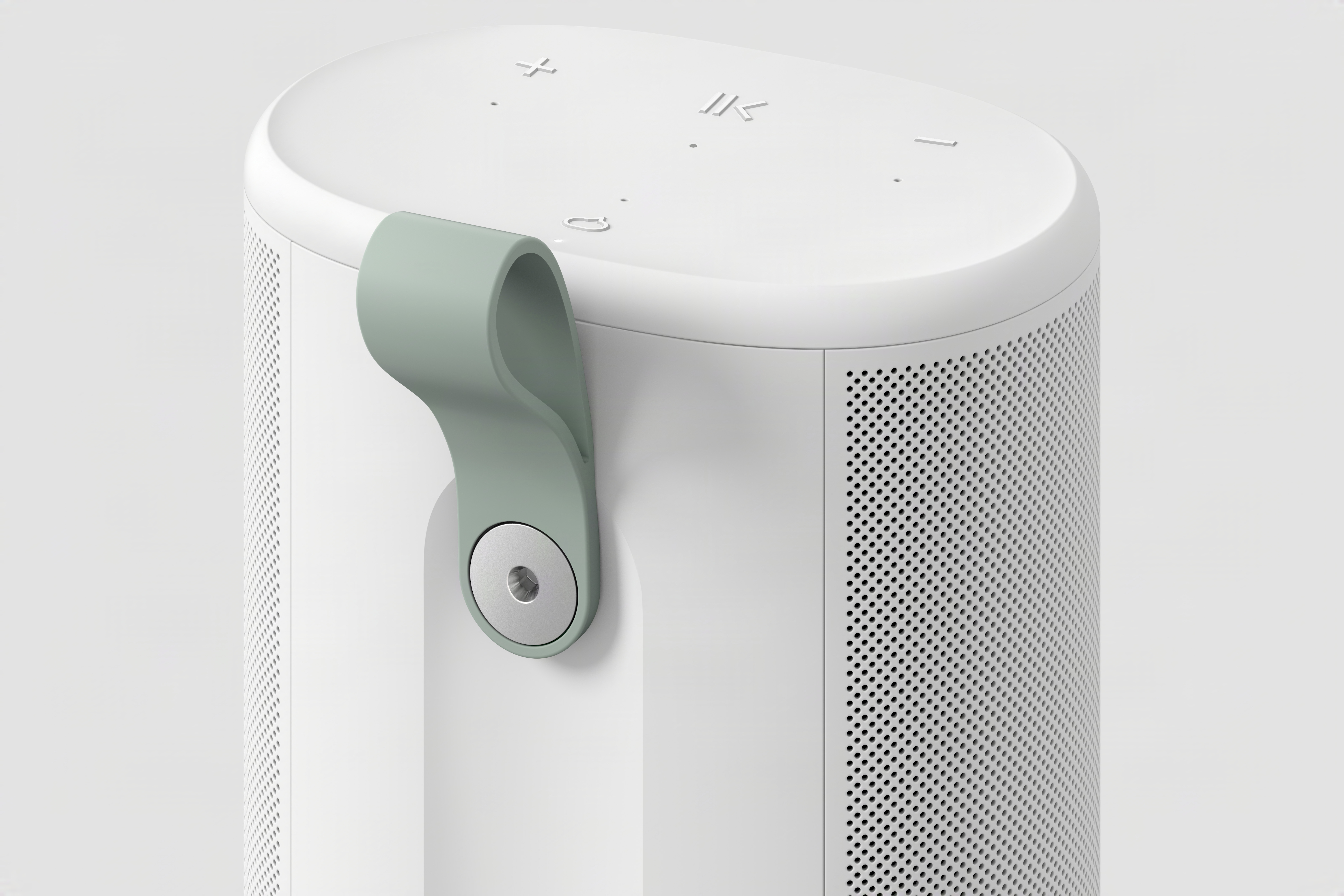
The grab handle on the back of the Sonos Play.
Sonos
From a speaker component perspective, it’s again quite similar to the Era 100. It has two tweeters positioned at a 90-degree angle for stereo separation paired with one midwoofer; it also has two additional passive radiators to increase the bass response in its relatively small case. The Era 100 lacks those passive radiators but is otherwise identical. Obviously, we’ll have to listen to the Play before saying how closely it compares to the Era 100, but this speaker should significantly outperform the Roam 2 simply due to the increased size of its components. The Move 2, on the other hand, is extremely loud and will likely still be the best choice for people who want a speaker to cover a large outdoor space.
You’ll find familiar controls on the Sonos Play, which comes in black or white. (Fingers crossed for future color options like the lovely trio that Sonos offers on the Roam.) On the top surface are buttons for play/pause, volume up and down and a microphone toggle. On the back is a power button, a Bluetooth button and a physical switch that disconnects the microphone for increased security. Finally, there’s a new feature here: a removable plastic grab loop.
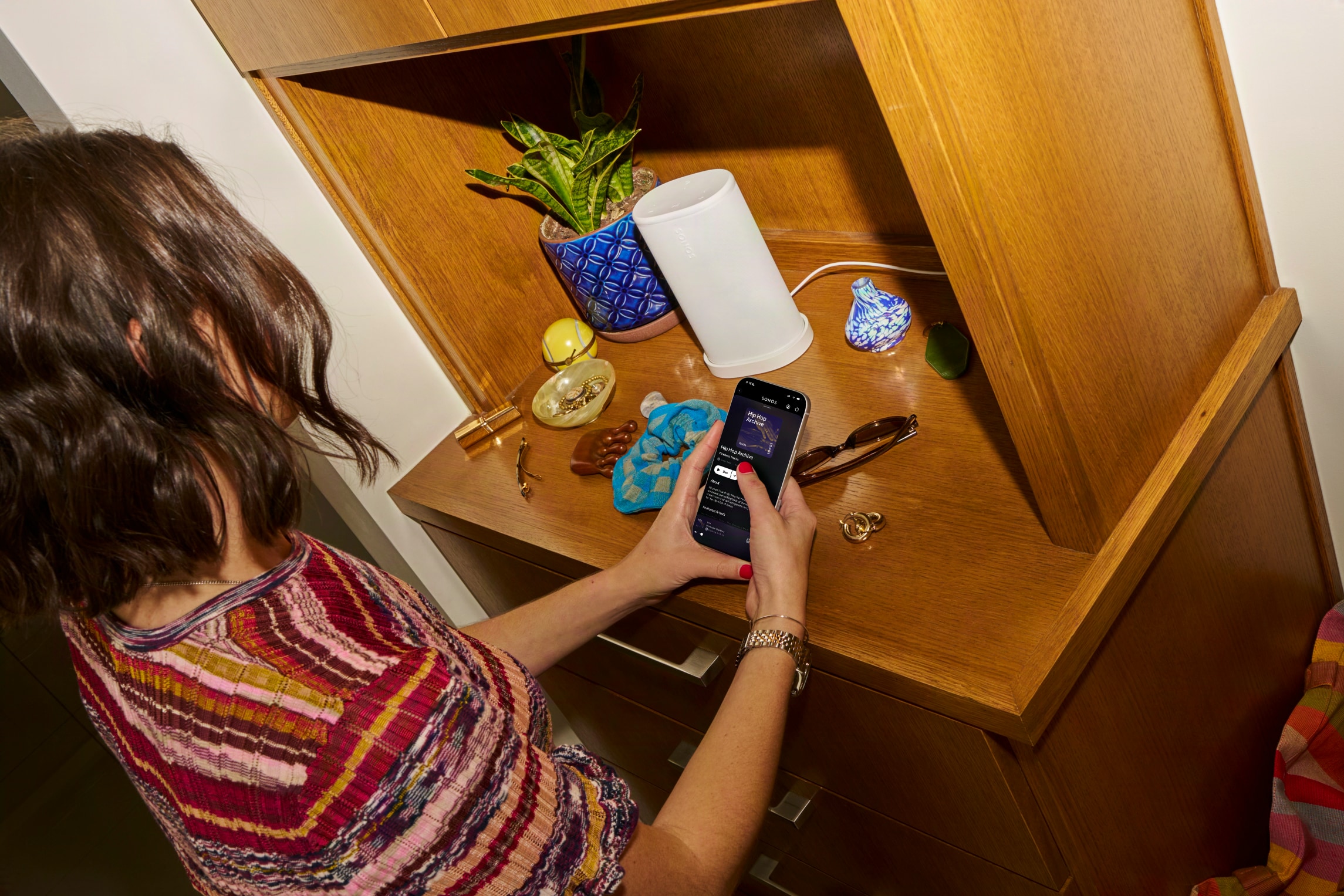
Sonos was keen to note that the Play is a full-featured member of the Sonos ecosystem. Like all of its other speakers, that means you’ll see all Sonos speakers in the app and can group them as you see fit, or have different music playing on different speakers throughout the house. You can also pair two of these in stereo. If you remove one from your network (say you’re outside and away from Wi-Fi), you’ll need to re-pair them though. In addition to controlling playback via the Sonos app (which, in my testing, is functioning fine and recovered from the 2024 debacle), you can stream music via AirPlay 2 or Spotify Connect. The Sonos Voice Assistant as well as Amazon Alexa are also on board here for anyone who likes to shout at their speakers.
The Sonos Play on its wireless charging base.
Sonos
There’s a new trick here for both the Play and Move 2, as well. For the first time, you can group Sonos speakers together through Bluetooth. After pairing a Play to your phone via Bluetooth, you can press and hold the play/pause button on three more Play or Move 2 speakers to add them to the group. If you want to cover a larger outdoor space with multiple speakers, this sounds like a pretty handy way to do so.
The Play also has line-in via its USB-C port, and you can use it for Ethernet as well; both features require a separate adapter. You can even use the USB-C port to top up your phone if you’re so inclined. And while you can also charge via the USB-C port, the Play comes with a wireless charging dock which makes for a nice home base for the speaker’s primary location. Annoyingly, Sonos did not include a charger, so you’ll need to provide your own USB-C brick.
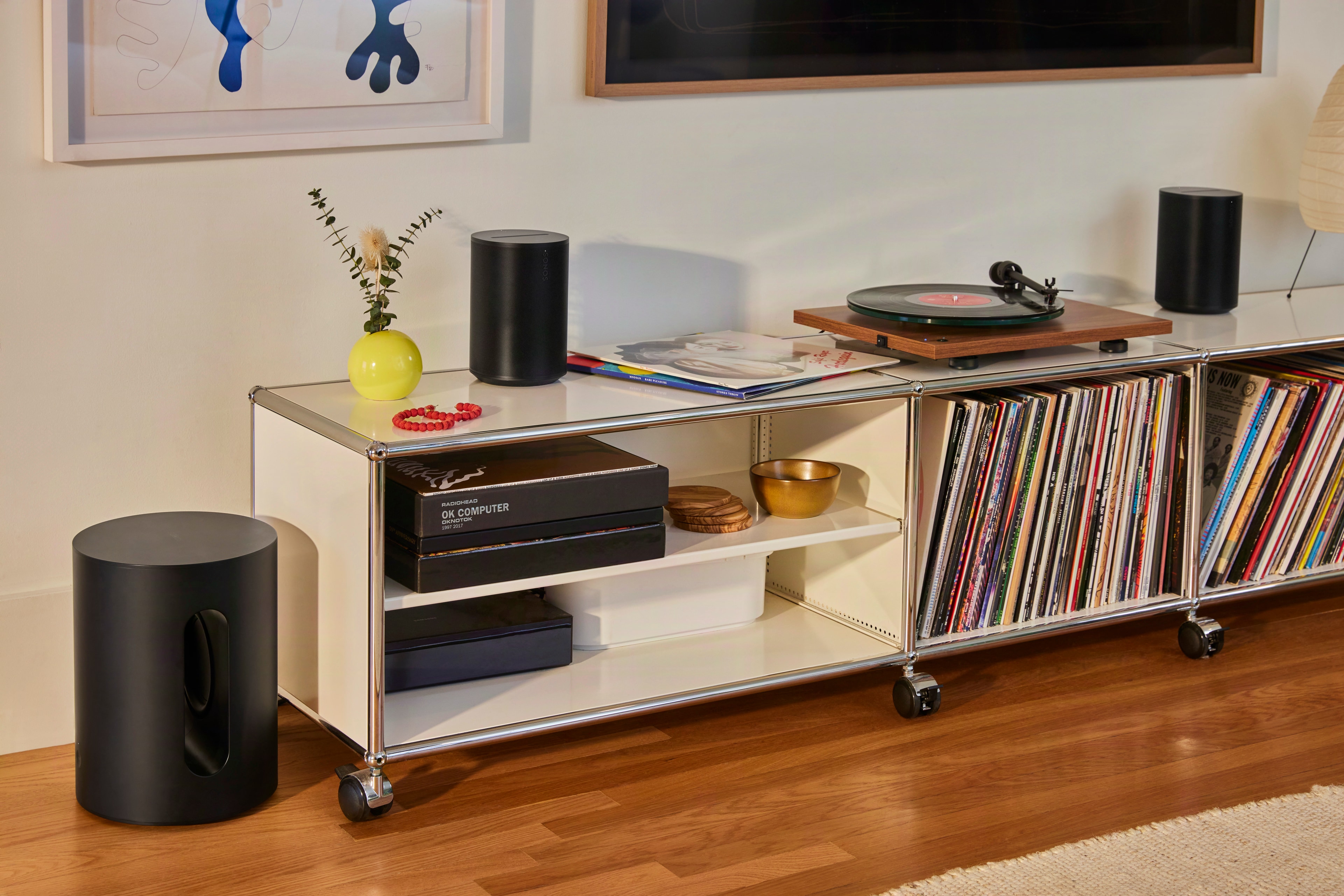
A pair of Sonos Era 100 SL speakers with a turntable.
Sonos
Sonos is also adding a second, much simpler speaker to its lineup today: the Era 100 SL. Like the One SL before it, the Era 100 SL is identical to the Era 100 with one key difference. There are no microphones on it at all. As such, the Era 100 SL is also a bit cheaper, coming in at $189 compared to $219 for the standard model.
Otherwise, there are no differences in acoustic architecture or feature set here. As its most affordable speaker besides the portable Roam 2, Sonos is positioning the Era 100 SL as the ideal entry point into its products. I can’t really argue with that, as the Era 100 still sounds outstanding and is also quite flexible with features like line-in and Bluetooth as well as all the standard streaming options. Both versions of the Era 100 are compatible with each other, too — so if you get an SL and then decide you want a stereo pair, a standard Era 100 with a mic will work there and bring voice control to your system as well.
Both the $299 Play and $189 Era 100 SL are up for pre-order now, and Sonos says they’ll be shipping on March 31.
This article originally appeared on Engadget at https://www.engadget.com/audio/speakers/the-sonos-play-puts-the-best-parts-of-the-era-100-in-a-portable-speaker-133000129.html?src=rss
At $599, the MacBook Neo is Apple’s first budget laptop. For the most part, Apple cut corners in the right places and made a MacBook its intended buyers will adore.
Google has injected Docs, Drive, Sheets, and Slides with its Gemini assistant, adding new features that can pull information from your emails and the web to help you draft content. I gave it a whirl.
I really don't know how Apple did it. The MacBook Neo is a $600 laptop that doesn't feel like an afterthought, which is a curse that has befallen so many cheap Windows notebooks. Sure, it has a slower A-series processor and it's limited to 8GB of RAM. But the MacBook Neo still feels as deeply considered as Apple's most premium hardware. Its screen, trackpad and overall usability is so far ahead of the competition, every Windows PC maker, including Microsoft, should be ashamed.
I've argued that a cheap MacBook could be the best for Apple to peel away Windows users, and after spending almost a week with the Neo, I'm convinced it will do just that. It's just fast enough to handle basic productivity work. It's sturdy enough to be tortured by kids in classrooms. And you really can't beat its $599 starting price. Once Windows users learn it's not that hard to switch to macOS, Apple will likely have another hit on its hands.
What's so Neo about this MacBook?
I'll admit, I laughed at the MacBook Neo's name at first. It really does feel like a desperately hip name ASUS or Acer would slap onto their machines (in fact, Acer is doing so right now), rather than something Apple would even consider. But the Neo name is more than just a dated reference to the Matrix — it's also a clear signal that this is a new type of MacBook. It's the first one Apple has ever been able to sell so cheaply. It's the first one powered by a mobile A-series chip. And for many people, it will likely end up being their first Mac.
The MacBook Neo also marks the first time Apple has built a value-focused notebook under $1,000. The adorable handle-equipped iBook G3 looked like a system geared towards kids, but it launched at $1,599 in 1999. The original MacBook Air, which Steve Jobs revealed by pulling it out of a manilla envelope, sold for $1,799 in 2008. MacBooks only got semi-affordable when Apple dropped the Air's entry price to $999 in 2014. (The starting price has bounced between $999 and $1,099 ever since.) It dabbled in the concept further by keeping the M1 MacBook Air around at Walmart stores for $699 in 2024 before eventually dropping its price down to $650 last year. If you were lucky, you could also find it for $499 during some holiday sales.
A citrus MacBook Neo being held up with one hand.
Devindra Hardawar for Engadget
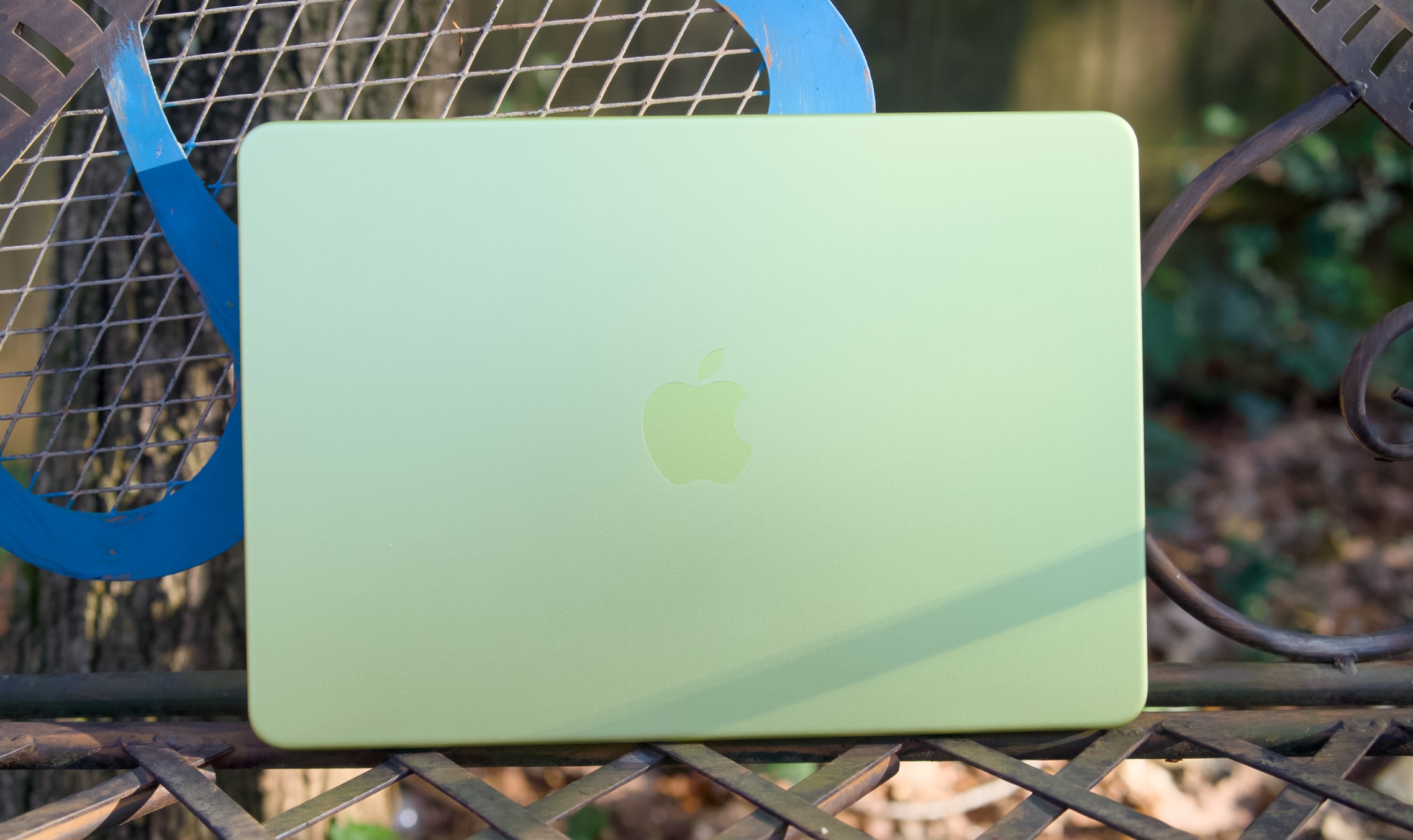
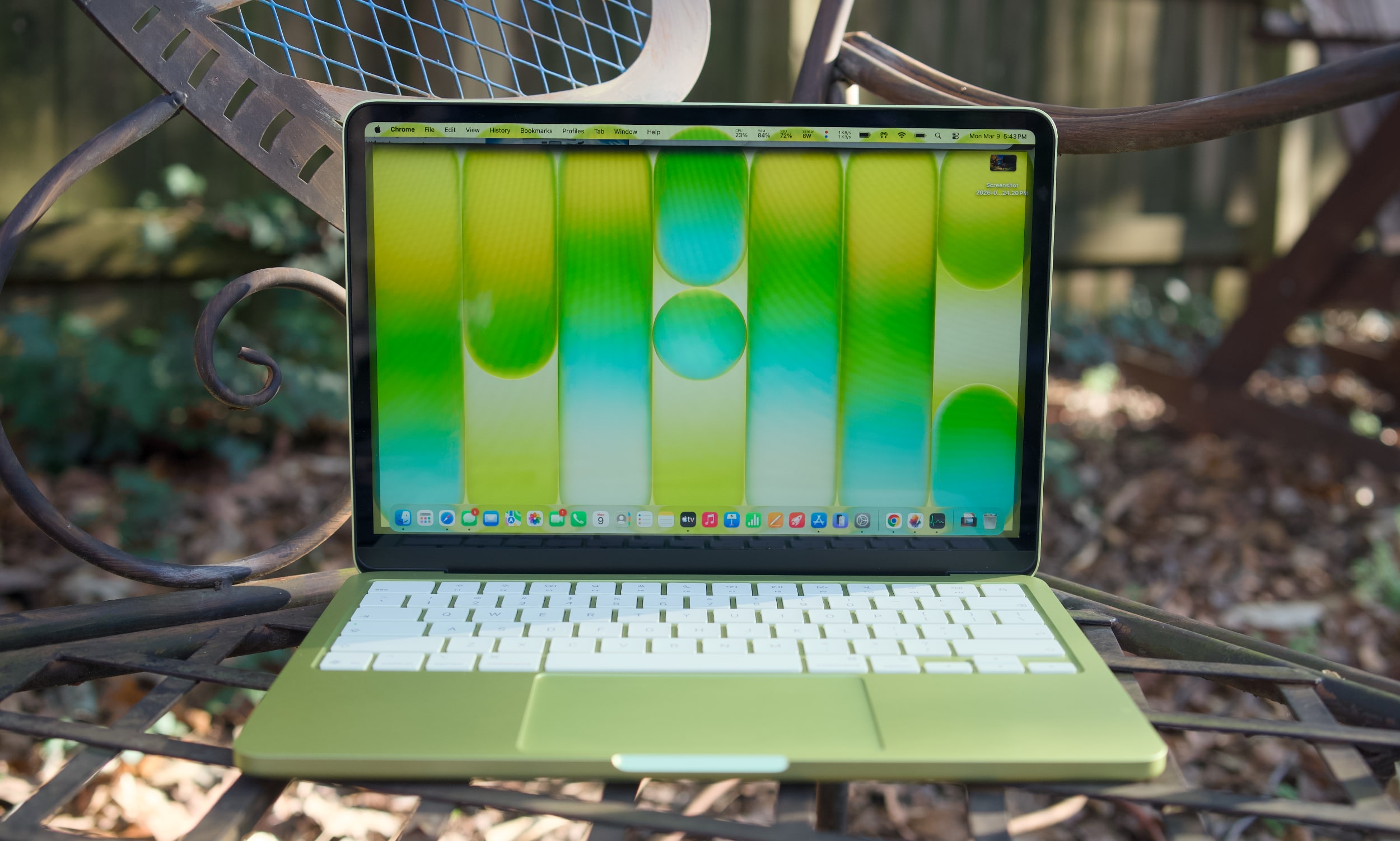
While the M1 MacBook Air was a great value over the last few years, its last-gen Apple design aged quickly. The Neo looks far more modern, with an all-aluminum case that resembles the current Air (it's a bit smaller, but weighs the same 2.7 pounds). Color is the Neo's biggest draw, with bolder options like the greenish citrus and pink blush, along with Apple's typical dark and light case options. The citrus hue is the most unique, as we've seen rose gold MacBooks before. It would have been nice to see other strong colors too, like a brighter blue or something with a hint of purple. The people want personality, Apple!
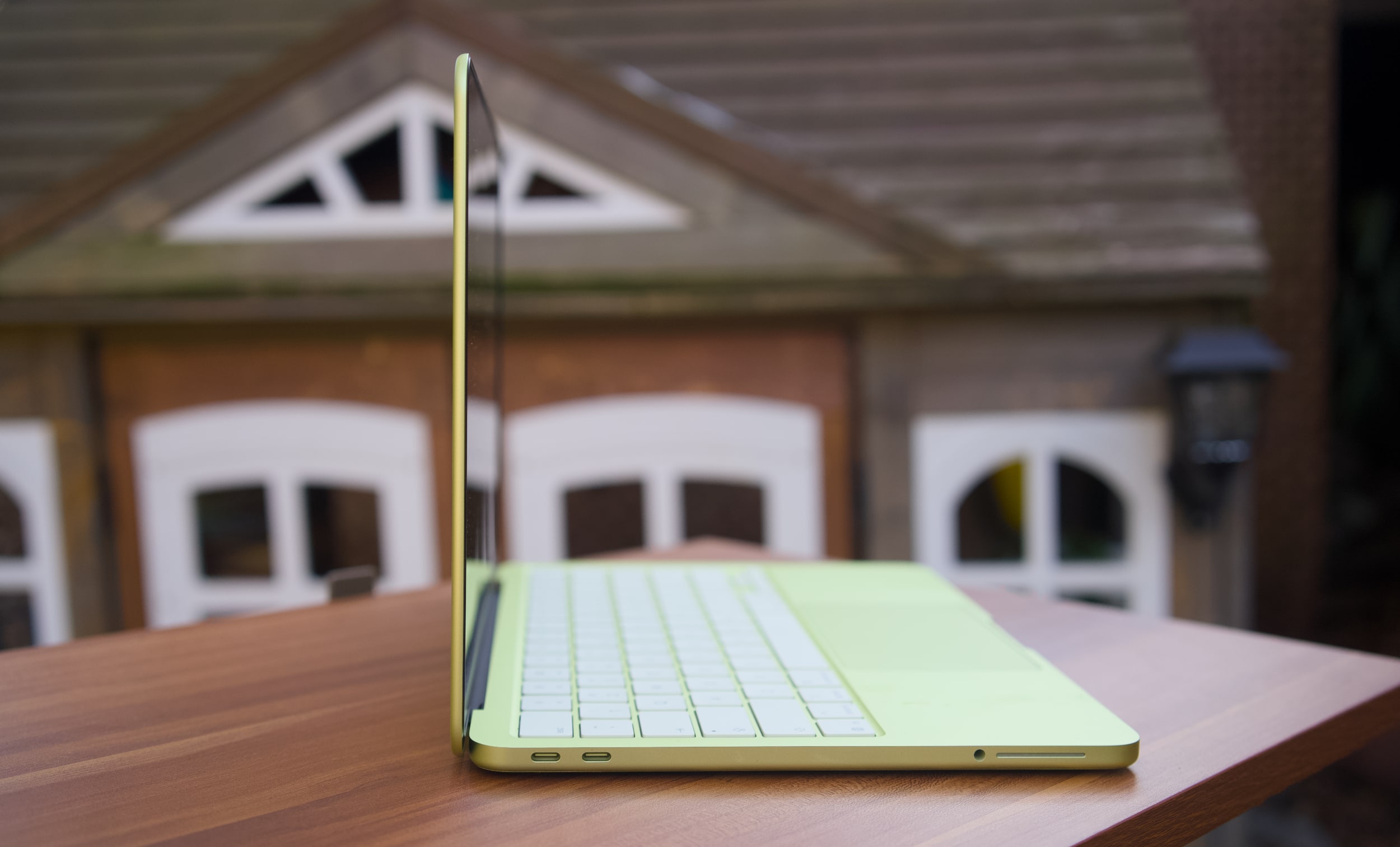
Under the hood, the MacBook Neo is a story of compromise, more so than any MacBook before it. Apple had to find a way to deliver its premium user experience while also cutting costs significantly to reach its $599 price. Relying on the A18 Pro, which powered last year's iPhone 16 Pro, was likely far more cost effective instead of using an older M-series chip that isn't being built anymore. That A18 Pro chip also means the MacBook Neo has to be fairly limited when it comes to ports: there are only two USB-C connections on board (one is USB 3.0, and the other is USB 2.0). There's no MagSafe charging connection, which is a shame since the MacBook Neo will likely end up around trip-prone kids in schools and homes.
A citrus MacBook Neo's USB-C ports.
Devindra Hardawar for Engadget
The biggest compromise lies in the MacBook Neo's RAM and disk space. It starts with just 8GB of RAM and a 256GB SSD. You can shell out another $100 to get 512GB of storage and a Touch ID button, but there's no way to add more RAM. Typically, my first piece of advice to any prospective computer buyer is to get at least 16GB of memory, as that's the easiest way to see faster performance when juggling tons of tabs, apps and large files. That's particularly true for Mac laptops, since Apple's unified memory is baked into its A-series and M-series chips.
The MacBook Neo's 8GB limitation shows the precise audiences Apple is targeting with the MacBook Neo: casual users. Those include people who need secondary machines for light workloads and schools relying on Chromebooks. I'm not reneging on my 16GB RAM recommendation — if the idea of less RAM in your main computer makes your skin crawl, the Neo isn't for you. The MacBook Air is still around, and it can easily be equipped with tons of RAM and storage.
Apple also deserves credit for squeezing in an impressive 1080p webcam in the Neo, something I haven’t seen in any other $600 Windows notebook. And while the resolution is impressive, Apple’s image processing also manages to deliver sharp and vibrant image quality. It’s usually easy to tell the overall quality of someone’s computer on group video calls based on their video quality. The MacBook Neo will have people thinking you’re calling in from a pricier MacBook Air or MacBook Pro.
When I first demoed the MacBook Neo at Apple's launch event, its keyboard felt a bit flimsier than those on the Air and Pro. But I may have just been distracted by the crowd and noise. My review unit's keyboard feels just as accurate as the Air's, allowing me to type at full speed (near 100 words per minute) without any issues. There's none of the weird input problems I noticed on Dell's far more expensive XPS 14.
The MacBook Neo's trackpad is similarly responsive and accurate for swiping and gestures. That's particularly surprising, since Apple isn’t using a haptic Force Touch trackpad like all of its laptops for the past decade. The Neo's pad clicks down mechanically — and yet, it doesn't feel as muddy as similar trackpads we see on budget PCs. It's also notable that Apple was able to make the Neo's trackpad completely clickable, whereas PC mechanical options often only click along their bottom half or third.
A citrus MacBook Neo on a table outside.
Devindra Hardawar for Engadget
Enough Mac for most
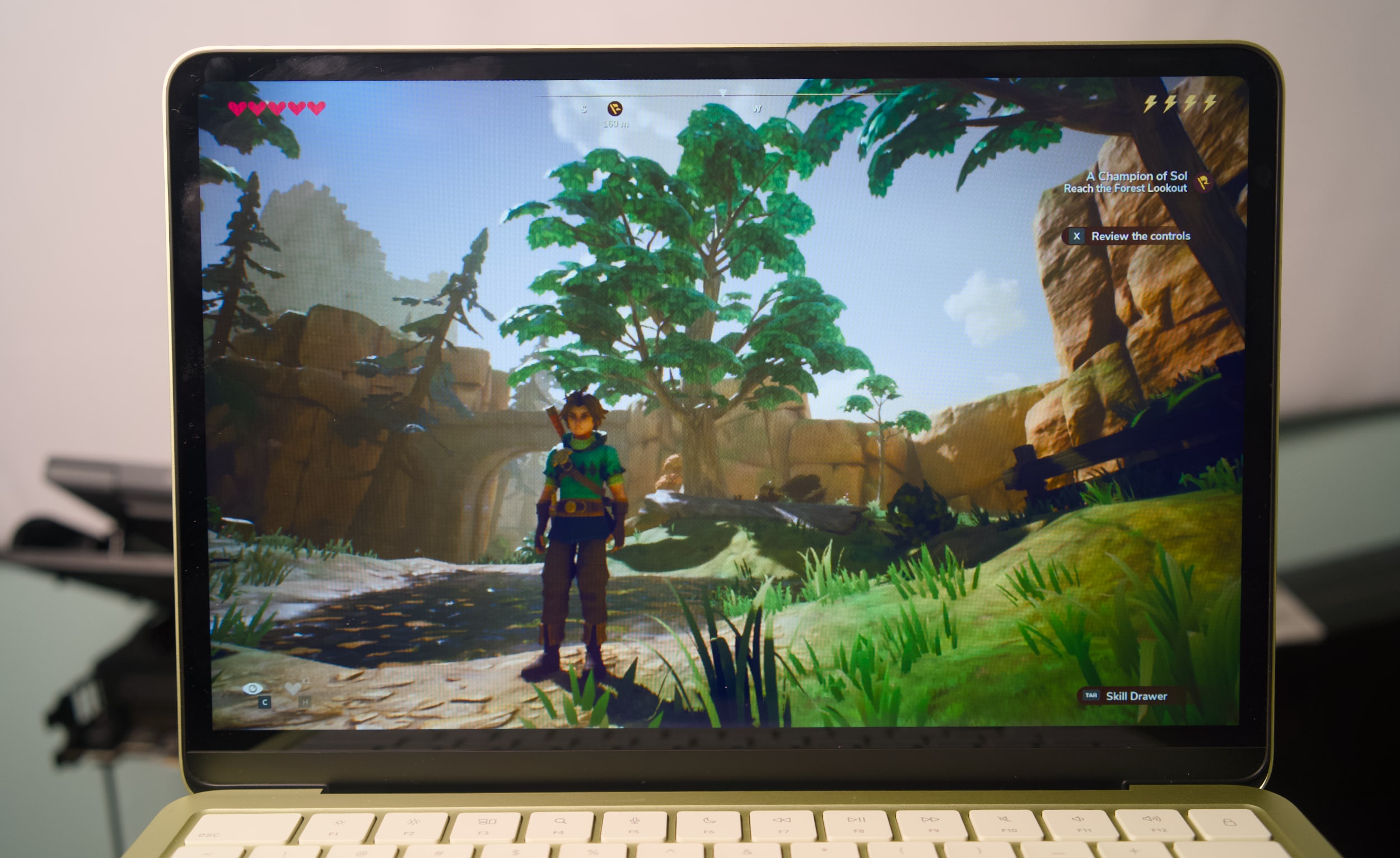
I didn't expect much from the Neo's A18 Pro processor and limited specs, and yet it still managed to surprise me. It easily handled having dozens of tabs open across multiple browsers, a show playing on the TV app, photo editing in Pixelmator Pro and running the new Apple Arcade title Oceanhorn 3 without any significant slowdown. There's clearly some swift memory management going on, delivering just enough RAM for the task right in front of you.
The Neo's RAM usage typically hovered between 80 and 85 percent when I was trying to stress it, but it never went beyond that range. And if you're curious, the Neo typically used around 50 percent of its memory just to run macOS, even with no other apps running.
I'd bet most people wouldn't see a major performance difference between the MacBook Neo and the Air for basic tasks. Even their screens look similar: The Neo's LCD panel has only a slightly lower resolution than the Air's, but its smaller 13-inch screen size gives it a similarly rich pixel density. The screen looks bold and colorful indoors, and it's also bright enough to use in direct sunlight outside. That's not something you usually see on $600 laptops.
Oceanhorn 3 on a MacBook Neo.
Devindra Hardawar for Engadget
During a demo at the Neo's launch event, I saw its screen compared side-by-side to a $600 HP laptop. The difference was literally night and day — the HP's display struggled to show the vibrancy of daylight photos, while the Neo's made photos pop off the screen. Similarly, the Neo's side-firing speakers sound significantly better than the tinny garbage HP stuffs into its discount machines. The Neo's speakers are ideal for watching videos and streaming content, but they definitely lack the clarity and low-end bump from the Air and MacBook Pro's upward firing speakers.
Geekbench 6 CPU
Geekbench 6 GPU
Cinebench 2024
Apple MacBook Neo (A18 Pro)
3,372 /8,406
19,511
107/324
Apple MacBook Air 13-inch (M4, 2025)
3,784/14,745
36,273
172/660 GPU: 3,465
Apple MacBook Air 13-inch (M3, 2024)
3,190/12,102
30,561
N/A
Microsoft Surface Pro 12-inch (2025, Qualcomm Snapdragon X Plus)
2,315/10,915
9,539
108/530
I was definitely trying to push the MacBook Neo harder than a typical user, but it simply kept delivering. In Geekbench 6's CPU benchmark, the MacBook Neo sits between the M2 and M3 MacBook Air for single-core tests, and below the M2 for multi-threaded work. Apple's hardware still manages to put Intel and AMD to shame, with single-threaded Geekbench 6 scores that are higher than the latest hardware from both companies. But of course, that's just one benchmark — beefy CPUs with active cooling will still be more performant overall.
What’s most impressive about the MacBook Neo is that it manages to be a functional and well-rounded notebook at just $599. Microsoft’s “low-budget” $800 Surface Pro 12-inch was cute, but we found its performance incredibly underwhelming (and you still had to pay more for the keyboard). The 2.2-pound ZenBook A14 was impressively light, but again it was just too slow to be useful. Apple probably could have worked harder to make the MacBook Neo a tad lighter, but it’s still easy to hold and travel with. I’d much rather Apple kept it at the MacBook Air’s 2.7-pound weight, instead of making the Neo less powerful or more expensive.
The only time the MacBook Neo completely failed was when I tried to run complex games meant for Apple's M-series chips. Lies of P installed just fine, but upon launch it just stopped as it tried to load shaders. Honestly, I'm surprised I was even able to install it in the first place. The most gaming you'll do on the Neo are things built specifically for Apple Arcade and the company's mobile chips, or cloud streaming options like GeForce Now or Xbox.
During our battery test, which involves looping a 4K video, the MacBook Neo lasted 12 hours and 15 minutes. That's far below the 18 hours and 15 minutes I saw on the M4 MacBook Air, but it's still enough to last you during a typical work or school day. Again, Apple also had to sacrifice plugging in a bigger battery to keep the Neo's costs down.
A citrus MacBook Neo on a table outside.
Devindra Hardawar for Engadget
Should you buy the MacBook Neo?
It's rare for Apple to genuinely surprise me these days, but the MacBook Neo did just that. It's a $599 computer that can handle basic workloads just fine, all the while looking like one of the company's more expensive notebooks. Most importantly, it delivers more speed, a brighter screen and an overall better user experience than any competing $600 Windows PC. It's so good, I think it'll make many people wonder why they've stuck with sub-par PCs for so long.
This article originally appeared on Engadget at https://www.engadget.com/computing/laptops/macbook-neo-review-apple-puts-every-600-windows-pc-to-shame-130000878.html?src=rss
The iPhone 17e is here. Here are all the details on Apple’s smartphones to help you find the right model, whether that’s the ultralight iPhone Air or the orange iPhone 17 Pro.
Shark has been making some intriguing devices lately, and its newest offering is one I’m personally very excited about. The company has just announced the ChillPill — a gadget it’s describing as a “3-in-1 personal cooling system.” It’s a modular system that offers a fan, mister and cold plate in one portable accessory, and is available today (March 10) for $150. Just in time for the summer, I guess. I’ve had a ChillPill to test for a few days and while I think it’s a bit pricey, I’m impressed by the sophistication and versatility you get for the money.
The ChillPill looks kind of like a strange, modern pair of binoculars. It is made up of two tubes connected via an inch-long silver rotating hinge. Unlike a pair of binoculars, though, one of the halves of the ChillPill can swivel on its hinge to about 180 degrees in either direction, so you can twist it to your heart’s desire. The hinge clicks firmly into place, and feels solid, so it can hold steady in whatever position you’ve chosen.
The smaller of the two tubes is where the controls and the USB-C charging port sit. There is a switch near the bottom here that locks the controls so the ChillPill doesn’t accidentally turn on when it’s in your cluttered purse. This is important, since turning on the device and adjusting the intensity levels is a matter of pressing the other end of this tube and rotating the dial. There’s a screen that takes up the top surface and it’ll show you your battery level and what speed or mode the
The matte, slightly larger tube is where the attachments go, and the other end of this is an air inlet. Shark calls the attachments “caps,” and like mentioned earlier, these are the “High-speed fan” cap, a “Dry Touch Mist” cap and the “InstaChill Cooling Plate.” The fan is basically an inch-thick disc, while the other two are a bit taller (or deeper), and the misting pod has a tank with a wick in it. You have to fill this with potable water (and the instruction manual repeatedly warns against using oils, fragrances or other additives) before turning the device on.
Swapping the caps out is a fairly easy affair thanks to the self-explanatory symbols on the edge. Twist the parts till the circle or lock icons are on top of the solid white dot on the other side, and you’re all set.
The Shark ChillPill in use in various scenarios.
Shark
Of the three attachments, I was most excited for the cold plate, but was pleasantly surprised by how much I liked the mister. I was initially skeptical when Shark’s reps told me it was a “dry mist,” and I assumed it was probably much wetter than they promised. But when I filled the container with cold tap water and turned the ChillPill on, I found the resulting cool air and mist very refreshing. And though my chin, which got the most of the water vapor, did get a bit wet, it all dried off very quickly. Plus, if I didn’t want to risk any moisture on my face at all, I could just hold the device a bit further away from my face. I also think it would be thoroughly enjoyable when aimed at other areas, like my neck or back, for a quick cooldown.
Same goes for the cooling plate attachment. It uses basically the same technology as the under-eye plates on the Shark CryoGlow LED face mask and the Shark DePuffi device. The company’s InstaChill technology essentially gives you a super cold surface that you can press to your skin (or, in theory, any surface that needs to chill) to quickly cool things off. Not only can this be great after, say, a hot yoga session or running to the subway in the middle of summer, but it can also be quite calming. I set the plate to the lower of the two chill settings and rubbed it all over my face before a call with my boss. I can’t say I was completely relaxed during the chat, but I was certainly a lot less strung out than I might have been without the ChillPill.
Finally, though the fan is the least exciting, it does work as promised and gets so powerful at the top level of 10 that I was genuinely shocked. It was like a mini cyclone in my hand, and if all you want is for moving air (that doesn’t have to be cooled), the ChillPill offers plenty of oomph and a wide range of intensity options.
For the money, I wish that Shark included some ChillPill accessories like the wrist strap, clamp, belt clip, crossbody strap or travel case. I also would love for the company to find a way to keep all the attachments on the device so I don’t have to carry loose caps with my ChillPill or buy a carrying case. I also found the half of the device with the power button on it to be a bit prone to becoming slick or greasy, making it a bit slippery at times.
Ultimately, I really enjoyed using the ChillPill to keep me cool. I can see this being a popular device in a hot, humid country like Singapore (where I’m from), and you best believe I’ll be ordering a few as gifts for my family members. Well, maybe just one or two. I’m not rich, after all, and these aren’t that affordable.
This article originally appeared on Engadget at https://www.engadget.com/home/sharks-chillpill-puts-a-mister-fan-and-cold-plate-in-one-portable-package-123000848.html?src=rss
X has told UK’s MPs or Members of Parliament that it suspended 800 million accounts to combat state-backed campaigns on the website, according to The Guardian. Wifredo Fernández, X’s head of global government affairs, told the officials that the suspensions happened over a 12-month period in 2024 and that the accounts were suspended for violating X’s rules on platform manipulation and spam. Russia was allegedly behind most of the accounts that were flooding the website with spam, followed by state actors from China and Iran.
The Russian accounts were trying to “stoke division” and disseminate a “particular type of narrative” to manipulate the 2024 US Presidential Elections, he told MPs on the foreign affairs committee during a video call. Fernández also claimed that the attempts to manipulate discussions and spam on the service aren’t done yet. “There are efforts every single day to create inauthentic networks of accounts,” he said. Apparently, X suspended an additional “several hundred million accounts” last year as well, presumably also due to foreign state-backed manipulation campaigns.
To note, Statista estimates the number of users on X to be 429 million in early 2024. The Guardian also says the platform has approximately 300 million monthly users worldwide.
This article originally appeared on Engadget at https://www.engadget.com/apps/x-says-it-suspended-800-million-accounts-in-2024-over-spam-and-manipulation-123000201.html?src=rss
If vacuuming is your least favorite chore, employing a robot vacuum can save you time and stress while also making sure your home stays clean. While once most robo-vacs landed on the higher end of the price spectrum, that’s not the case anymore. Sure, you could pick up a $1,000 cleaning behemoth with mopping features, but it would be incorrect to assume that you need to spend that much money to get a good machine.
Now, you can get an autonomous dirt-sucker with serious cleaning chops for $500 — sometimes even $300 or less. But you get what you pay for in this space; don’t expect affordable robot vacuum cleaners to have all of the bells and whistles that premium machines do, like self-emptying capabilities or advanced dirt detection. After testing dozens of robot vacuums at various price points, I’ve narrowed down our top picks for the best budget robot vacuums you can buy right now.
Best budget robot vacuums for 2026
Are robot vacuums worth it?
Since I've tested dozens of robot vacuums, I'm often asked if these gadgets are "worth it" and I'd say the answer is yes. The biggest thing they offer is convenience: just turn on a robot vacuum and walk away. The machine will take care of the rest. If vacuuming is one of your least favorite chores, or you just want to spend less time keeping your home tidy, semi-autonomous robotic vacuum is a great investment. Many models, albeit more expensive ones, even come with features like a self-empty station to further reduce maintenance.
There are plenty of other good things about them, but before we dive in let’s consider the biggest trade-offs: less power, less capacity and less flexibility. Those first two go hand in hand; robot vacuum cleaners are much smaller than upright vacuums, which leads to less powerful suction. They also hold less dirt because their built-in bins are a fraction of the size of a standard vacuum canister or bag. Fortunately, some models include features like an auto-empty station, which helps with dirt capacity, especially in homes with pet hair.
When it comes to flexibility, robot vacuums do things differently than standard ones. You can control some with your smartphone, set cleaning schedules and more, but robo-vacs are primarily tasked with cleaning floors. On the flip side, their upright counterparts can come with various attachments that let you clean couches, stairs, light fixtures and other hard-to-reach places.
What to look for in a budget robot vacuum
When looking for the best cheap robot vacuum, one of the first things you should consider is the types of floors you have in your home. Do you have mostly carpet, tile, laminate, hardwood? Carpets demand vacuums with strong suction power that can pick up debris pushed down into nooks and crannies. Unfortunately, there isn’t a universal metric by which suction is measured. Some companies provide Pascal (Pa) levels and generally the higher the Pa, the stronger. But other companies don’t rely on Pa levels and simply say their bots have X-times more suction power than other robot vacuums.
So how can you ensure you’re getting the best cheap robot vacuum to clean your floor type? Read the product description. Look for details about its ability to clean hard floors and carpets, and see if it has a “max” mode you can use to increase suction. If you are given a Pa measurement, look for around 2000Pa if you have mostly carpeted floors. Pay attention to the brush roll mechanism as well, especially if you're dealing with dog hair or other stubborn debris that can cause tangles. Many budget models use bristle brushes, while others offer tangle-free designs to minimize maintenance.
You may find some budget robot vacuums also offer vacuum/mop combo capabilities. These bots feature a water tank, which means they can offer mopping functionality, enhancing debris pickup, and resulting in shiny floors. However, these are less common when you’re shopping in the lower price range.
Size is also important for two reasons: clearance and dirt storage. Check the specs for the robot’s height to see if it can get underneath the furniture you have in your home. Most robo-vacs won’t be able to clean under a couch (unless it’s a very tall, very strange couch), but some can get under entryway tables, nightstands and the like. As for dirt storage, look out for the milliliter capacity of the robot’s dustbin — the bigger the capacity, the more dirt the vacuum cleaner can collect before you have to empty it.
You should also double check the Wi-Fi capabilities of the robo-vac you’re eyeing. While you may think that’s a given on all smart home devices, it’s not. Some of the most affordable models don’t have the option to connect to your home Wi-Fi network. If you choose a robot vac like this, you won’t be able to direct it with a smartphone app or with voice controls. Another feature that’s typically reserved for Wi-Fi-connected robots is scheduling because most of them use a mobile app to set cleaning schedules.
But Wi-Fi-incapable vacuums usually come with remote controls that have all the basic functions that companion mobile apps do, including start, stop and return to dock. And if you’re concerned about the possibility of hacking, a robot vac with no access to your Wi-Fi network is the best option.
Obstacle detection and cliff sensors are other key features to look out for. The former helps the robot vacuum navigate around furniture while it cleans, rather than mindlessly pushing its way into it. Many also offer no-go zones, letting you block off areas you don’t want the robot to enter. Meanwhile, cliff sensors prevent robot vacuums from tumbling down the stairs, making them the best vacuum for multi-level homes.
How we test robot vacuums
When we consider which robot vacuums to test, we look at each machine’s specs and feature list, as well as online reviews to get a general idea of its capabilities. With each robot vacuum we review, we set it up as per the instructions and use it for as long as possible — at minimum, we’ll use each for one week, running cleaning cycles daily. We make sure to try out any physical buttons the machine has on it, and any app-power features like scheduling, robot mapping and more.
Since we test robot vacuums in our own homes, there are obstacles already in the machine’s way like tables, chairs and other furniture — this helps us understand how capable the machine is at avoiding obstacles, and we’ll intentionally throw smaller items in their way like shoes, pet toys and more. With robot vacuums that include self-emptying bases, we assess how loud the machine is while emptying contents into the base and roughly how long it takes for us to fill up the bag (or bagless) base with debris.
Robot vacuum maintenance tips
First and foremost, always empty your robot vacuum’s dustbin after every cleaning job, or use a self-empty station if the model supports it. Simply detach and empty the dustbin as soon as the robot is done cleaning, and then reattach it so it's ready to go for the next time. It’s also a good idea to take a dry cloth to the inside of the dustbin every once in a while to remove any small dust and dirt particles clinging to its insides.
In addition, you’ll want to regularly examine the machine’s brushes to see if any human or pet hair has wrapped around them, or if any large debris is preventing them from working properly. Some brushes are better than others at not succumbing to tangled hair, but it’s a good idea to check your robot’s brushes regardless — both their main brush and any smaller, side brushes or corner brushes they have. These parts are often easy to pop off of the machine (because they do require replacements eventually) so we recommend removing each brush entirely, getting rid of any tangles or other debris attached to them and reinstalling them afterwards. If you have a robot vacuum with mopping capabilities, you’ll need to wash the bots’ mop pads too, to avoid any unpleasant smells or tracking mess around your home. Similarly, if your robot vacuum has a water tank, it’s worth washing this out regularly to keep it clean.
Robot vacuums also have filters that need replacing every couple of months. Check your machine’s user manual or the manufacturer’s website to see how long they recommend going in between filter replacements. Most of the time, these filters cannot be washed, so you will need to buy new ones either directly from the manufacturer or from other retailers like Amazon or Walmart.
Budget robot vacuum FAQs
Are budget robot vacuums good for pet hair?
Yes, budget robot vacuums can be good for pet hair. Just keep in mind they generally tend to have lower suction power and smaller dustbins than more expensive (and larger) robot vacuums. If pet hair is your biggest concern, we recommend getting as expensive of a robot vacuum as your budget allows, or consider investing in a cordless vacuum since those tend to be more powerful overall.
How long do budget robot vacuums last per charge?
Budget robot vacuums typically last 40-60 minutes per charge, and the best ones will automatically return to their charging dock when they need more power.
Do budget robot vacuums work on carpets and hardwood floors?
Yes, budget robot vacuums work on both carpets and hardwood floors.
Which budget robot vacuums have mapping features?
Home mapping features are typically exclusive to more expensive robot vacuums. Check the product description of any robot vacuum you're thinking of buying and look for "smart mapping" or "smart home mapping" in the feature list if you want a device that supports it.
Now that Apple is designing and engineering its own silicon, the updates come fast. It’s been less than two years since the company released the M2-powered iPad Air and we’re already on our third iPad Air iteration, one with the M4 inside. That’s the same chip that was inside the iPad Pro in 2024.
That’s one way of expressing how powerful 2025's iPad Air now is – and it remains a step above the base iPad in most ways. However, there’s room for improvement. Apple has stuck with the same display for another year. The 11-inch iPad Air that Nathan Ingraham reviewed seems to have has the same screen in 2026 as it did when the first no-Home button iPad Air was released in late 2020. (And that’s the one I’m still using!) Also, why still no FaceID?
Qualcomm, which bought microcontroller board manufacturer Arduino last year, just announced a new single-board computer that marries AI with robotics. The Ventuno Q is more sophisticated (and expensive) than Arduino's usual AIO boards, thanks to the Dragonwing IQ8 processor that includes an 8-core ARM Cortex CPU, Adreno Arm Cortex A623 GPU and Hexagon Tensor NPU that can reach up ot 40 TOPs. It also pacs in Arduino App Lab, with pre-trained AI models including LLMs, VLMs, gesture recognition and object tracking, all running offline.
Siri's ongoing AI overhaul could be to blame for the wait.
Bloomberg’s Mark Gurman is back with the latest rumors on new Apple hardware and the company’s continued Siri woes. His sources say that Apple is expected to postpone its smart home display until later in 2026, possibly September, when it often introduces another barrage of new gadgets. The hardware has reportedly been finished for months, but the AI-centric overhaul of Siri is still not done.
Dell’s revamped XPS 14 is more powerful than ever. The XPS series has long been a favorite at Engadget, and this one’s lightweight and features a gorgeous OLED screen. However, Dell’s keyboard this year has a baffling flaw: its keyboard. It somehow forces you to type more slowly to log each key press. And this isn’t a capacitive touchscreen or anything complicated. According to Dell, “a small batch of early XPS units” have these quick typing issues. They also say the issue is currently resolved and doesn’t affect XPS units shipping now. We’ll be checking once a firmware update, meant to fix the issue, lands.
US regulators have approved eight pilot programs across 26 states that will allow Archer, Joby and other eVTOL companies to finally start testing aircraft this summer, according to a US Department of Transportation (DoT) press release. That will allow those manufacturers to run trials for use cases like urban air taxi services, regional passenger transportation, cargo, emergency medical operations and autonomous flight technology.
The new projects were made possible by the White House's Advanced Air Mobility and eVTOL Integration Pilot Program (e-IPP) approved last year to allow certification for such aircraft to progress after being stuck in the mud for years. "By safely testing the deployment of these futuristic air taxis and other AAM vehicles, we can fundamentally improve how the traveling public and products move," US Transportation Secretary Sean Duffy said at the time.
Other FAA aircraft partners include Beta, Electra, Elroy Air, Wisk, Ampaire and Reliable Robotics. Key pilot programs were approved for the Texas, Utah, Pennsylvania, Louisiana and North Carolina Departments of Transportation, along with New York and New Jersey Port Authority and the City of Albuquerque. We've already glimpsed some of the ideas, like Archer's plan to use air taxis between New York's major airports and city heliports.
A number of eVTOL startups have launched in recent years, but so far none of the aircraft have received "type certificates" for carrying passengers or other commercial purposes. Archer and Joby are the farthest along in that process, having been granted the FAA's final airworthiness criteria — the final step before full approval.
The delays are mostly about safety and working eVTOL planes into existing aviation flows. "The gap isn't technical capability anymore. It's regulatory synchronization," the FAA's Kalea Texeira said last year on LinkedIn. "[That includes factors like] vertiports. Energy supply chains. Part 135 [commercial] integration. Pilot training frameworks that match the aircraft timeline." In the same post, Texeira added that Joby wouldn't certify until mid-2027 at the earliest, with Archer following in 2028.
The new program could help accelerate plane-makers' plans. In a YouTube video, Beta CEO Kyle Clark said selection for the program will help his company start operations a year earlier than it previously expected. Archer, meanwhile, compared the program to robotaxi testing and said it will help build trust with the public for its Midnight aircraft. "This is the clearest sign yet... that bringing air taxis to market in the United States is a real priority," said Archer CEO Adam Goldstein.
This article originally appeared on Engadget at https://www.engadget.com/transportation/faa-opens-up-real-world-testing-for-air-taxi-startups-112219316.html?src=rss
Shazam is now available within ChatGPT, if you don’t want to launch the music discovery app on your phone for, well, reasons. You will have to link the Shazam app with the chatbot first from its Apps page, after which you can summon it in-chat to identify whatever song is playing. To summon Shazam in-chat, you can use prompts like “Shazam, what’s playing?” or “Shazam, what is this song?”
A box will pop up that you can tap on to launch the music discovery service, which will then listen to the tune playing. ChatGPT will display the song’s name, artist and artwork, along with the option to save the song to Shazam. Take note that the feature will work within ChatGPT even if you don’t have the music discovery app downloaded on your device, which does make it useful if you’re using a phone with full memory. The Shazam integration has started rolling out globally within ChatGPT on iOS, Android and the web.
This article originally appeared on Engadget at https://www.engadget.com/apps/you-can-now-use-chatgpt-to-open-shazam-instead-of-just-opening-shazam-114000363.html?src=rss